You ask your agent to match a year of Northwind Supply invoices against the bank statements, watch it start, and close the laptop to catch a train. Forty minutes later you open it again. The job is where you left it, step four of thirty, waiting for a machine that was asleep.
Most agents live inside the computer you carry, so their work is only as awake as your laptop. You keep the lid open and the charger in your bag, or you start long jobs only when you know you will sit still. And the chores you hoped it would do overnight never happen, because at three in the morning the laptop is off too.

Give the agent a home that never sleeps
Picture the agent at a desk in an office that never closes. Your laptop and your phone are two windows onto that desk. Close one and the work on the desk goes on; look through the other and you see the same papers, in the same state.
In TinkerClaw the desk is the gateway, and it runs on a small server that stays on. Ours is a Raspberry Pi 5. The chats and their history, the scheduled routines and the agent’s working processes all live there. Onboarding installs the gateway as a system service that restarts itself after a crash and, on Linux, keeps running after you log out. Your laptop goes back to being a screen.
One thing stays where it was: the model. Every turn still goes out to the provider you picked, the same call your laptop would have made. That is why a Pi is enough. It holds the work and keeps the schedule, and the heavy thinking happens at the provider.
Pick up the same chat on your phone
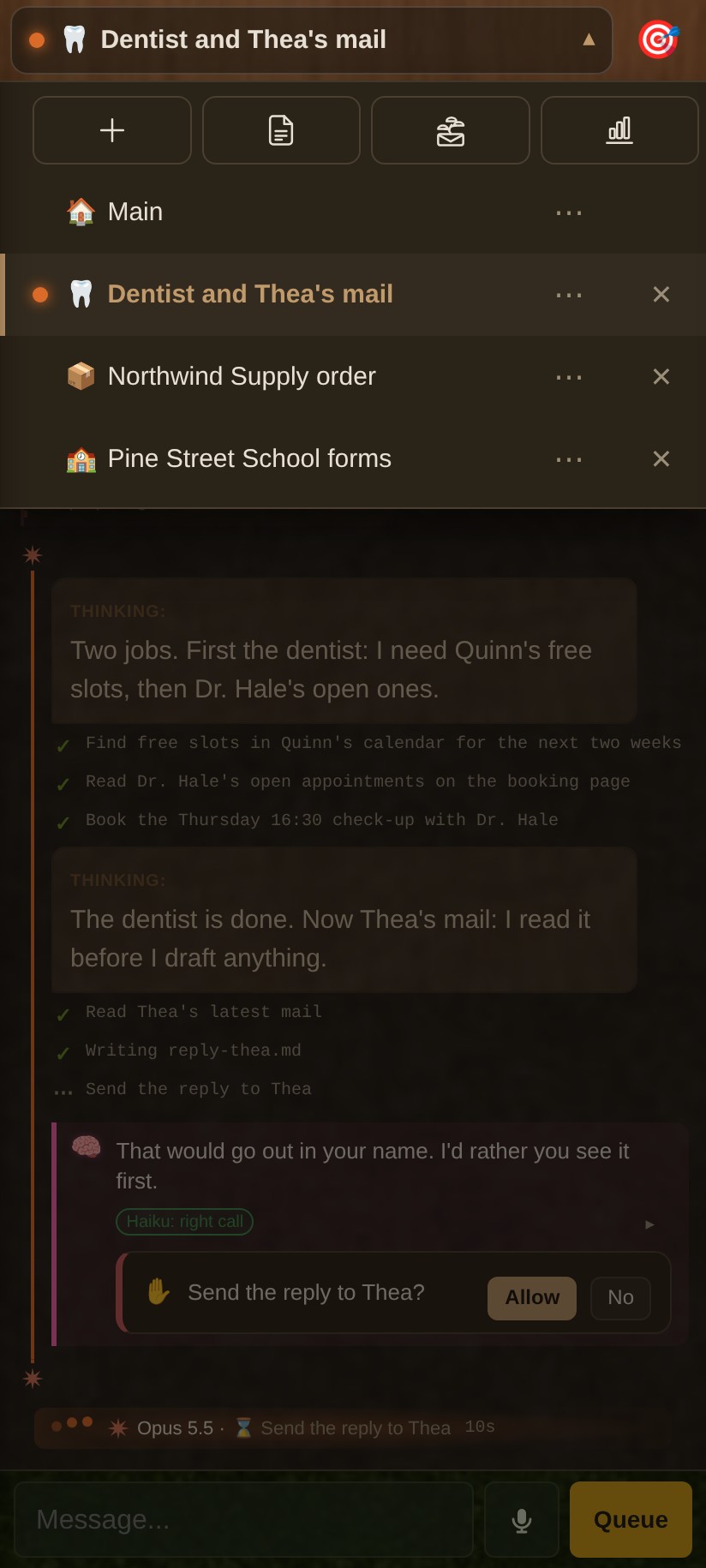
Open the server’s page on a phone and it lays itself out for one hand. You get one chat at a time under a compact header, the side panels in drawers that swipe in from either edge, and a list with every chat that is open on the laptop, the busy ones marked as running.

The two screens also agree on what you have read. Quinn reads Jarvis’s answer about the invoices on the phone at the station, and when the laptop opens that evening, the chat no longer glows as new. Any phone browser gets this layout. On Android there is also an app, built from the repo, that wraps the same page, pairs from a single link and then updates itself from your server.
Work that outlives the conversation
A server that never sleeps changes which jobs you dare to start. When a Claude Code chat sends a task to the background (a long download, a batch of files, a team of sub-agents), the task outlives the turn that started it. When it ends, it wakes the chat, and the agent reads the result and carries on without a word from you. Until then a row under the chat shows it is still going, on whichever screen you happen to hold.

The routines that ship with the repo need the same awake machine: memory consolidation, a cleaning pass, a scan for security updates and a few more, all scheduled in the small hours. On a laptop with the lid shut they would never run. On the server they run every night.
A private door, not a public one
Reaching your agent from anywhere sounds like putting it on the internet. It doesn’t have to be. The phone talks to the server over a private network (we use Tailscale), and the small piece that lets the phone in, the phone door, listens only on that network’s address. It will not start on every interface unless you tell it you mean it, and the gateway itself stays on the server’s loopback.
Each phone gets its own token. One command on the server makes it and prints a pairing link that works once and expires after 15 minutes. Lose the phone and you revoke its token: the next request is refused and its open connections are cut within seconds.
What you need
- A machine that stays on. A Raspberry Pi 5 like ours, a mini PC in a cupboard, or a small rented Linux server.
- A private network between that machine and your phone, such as Tailscale on both.
- One pairing link per phone, made on the server with
node scripts/phone-door/devices.mjs add "my phone".
Ours has run like this for about a month.
Baked into TinkerClaw
All of this runs in TinkerClaw, the open-source agent harness that grew out of OpenClaw. I tinker with ideas like this all the time, and they go into the code the moment I need something extra in my day. Why that is now cheap enough to do is the subject of from block to blob.
We will soon be offering hosting too, for anyone who would rather not keep a server at home.
For builders
- J12, Budget Prompting: what an agent that never switches off costs in model calls, and the techniques that cut that bill. Behind Give the agent a home that never sleeps.
- J5, Sleep Consolidation: how nightly routines make an agent better from one day to the next. Behind Work that outlives the conversation.
There are more papers, sorted by topic, in the brain map and the site map.
Related: Home Assistant AI on one Raspberry Pi: a full agent setup, irrigation included
Related: OpenClaw vs Claude Code: when each one wins, and why we run both
Leave a Reply