Thea writes on WhatsApp: “Still on for Saturday? Dr. Hale moved my appointment, so I’m free all day.” You ask your assistant whether Saturday is clear and what time would suit both of you. It can’t see the message, and it can’t see your calendar. So you copy the message into its tab, open your calendar in another tab, paste what you find, read the answer, and type the reply to Thea yourself.
The assistant did the easy part. You were the cable between it and your own life, and you did the rest.
That is the hidden cost of an agent that lives in one browser tab. It knows only what you carry to it, and it can’t take the last step: the reply, the booking, the filed invoice. Every new chore needs you in the middle, so the time you hoped to save goes into copying and pasting.

Talk to your agent where you already talk
The simplest fix is to stop making you open the assistant. Put it in the apps you already have open all day.
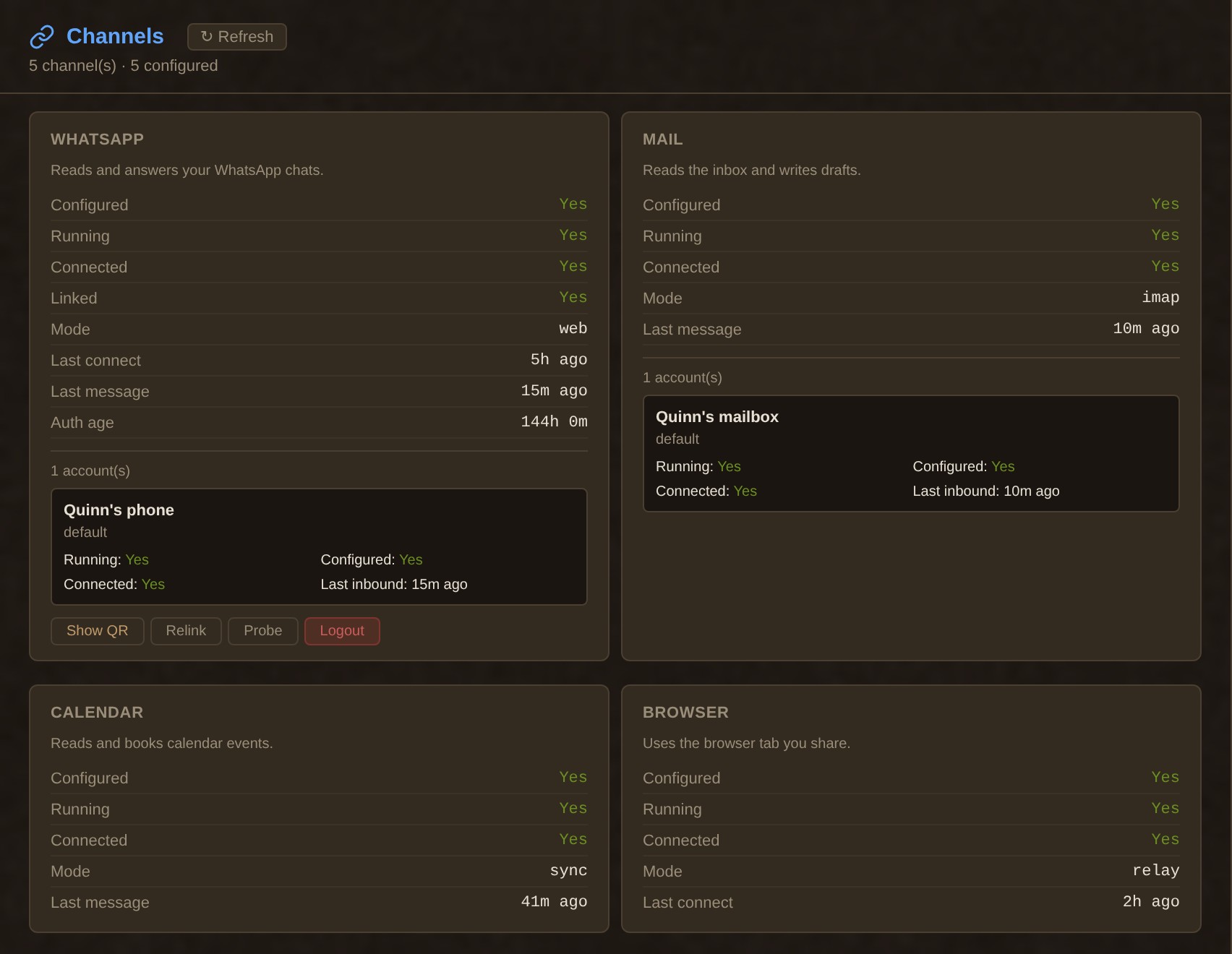
In TinkerClaw each messaging app is a channel. WhatsApp links the way WhatsApp Web does: you scan a QR code with your phone, and the agent reads and answers on WhatsApp. Telegram, Signal, Slack, Discord, Microsoft Teams, Matrix, Google Chat and over a dozen others ship as channel plugins in the same repo. You can ask about Saturday from WhatsApp on the bus and get the answer in the same thread.
A bot inside your chats raises a fair worry: who else can talk to it? That is your call. By default a sender you have not approved gets a short pairing code, and their message goes no further until you approve them. In groups it listens only to the senders on your allowlist. Put Thea on that list once, and her next message about Saturday is one the agent can read.
Lend it a tab you are already logged into
Plenty of what you need sits behind a login: the dentist’s booking page, a supplier’s portal, an admin panel with no API. Agents usually meet this wall with an API key you don’t have, or with a fresh browser that has to log in from scratch.
TinkerClaw takes the shortcut a colleague would take: you lend it your screen. The browser relay is a Chrome extension. Click its button on a tab and the tab joins a group called Tinker Shared. From then on the agent can drive that tab, with your session, so it can open Dr. Hale’s booking page and book your next cleaning while you watch. It works only on the tabs you shared and opens no new ones. By default the relay listens only on the computer it runs on; to share tabs from another computer you need the gateway’s auth token set.
Mail, calendar and files through skills
Chats and tabs cover what you see. The rest (the inbox, the calendar, the files) comes through skills.
A skill is a folder with a SKILL.md: a one-line description, and the steps the agent follows when the task matches. The agent sees only the descriptions of the skills it has. When exactly one fits, it reads that skill’s full instructions and follows them. So a hundred installed skills cost a hundred short lines in the prompt.
The repo ships skills for Gmail, Google Calendar and Drive (through the gog command-line tool), for any IMAP mail account, and for Obsidian, Notion, Trello and GitHub. Your files are the easy part: the agent reads and writes files on the server it runs on, and a plugin moves files to and from a device you have paired with it. Most skills drive a tool you install, or need a key, and one command lists which ones are ready and what the others lack.
The skills OpenClaw users already share work here too
OpenClaw has a public skill registry, ClawHub, where people share the skills they write. Moving to a new agent usually means leaving that library behind. TinkerClaw began as a fork of OpenClaw and kept the skill format, so the library comes along.
We read the code to be sure of this. TinkerClaw reads the same SKILL.md format, with the same openclaw block for requirements and install steps. openclaw skills install <name> fetches a skill from clawhub.ai into your workspace, and openclaw skills update --all keeps the installed ones current. A skill you install there wins over a bundled one with the same name. Most of the skills OpenClaw bundles ship in our repo as well, in the same format.

We will not promise that every skill on ClawHub runs on your machine. A skill made for a Mac’s Notes app needs a Mac, and a skill that wraps a command-line tool needs that tool. What we can say is that the format and the loader match, and when a skill can’t run here, the skills list says what it is missing.
It works the other way round too: the skills we write in TinkerClaw are published on ClawHub for OpenClaw users, and they have been downloaded about 37,000 times.
All of this is in TinkerClaw
The channels, the browser relay, the skill loader and more than a hundred skills come with TinkerClaw, the agent I work with every day. When a new service turns up in my week, it gets a skill, and the skill goes into the repo. That is the cheap part now that code costs so little; I wrote about that shift in from block to blob.
If you already use OpenClaw, the skills you wrote for it load here in the same format.
For builders
- Recipe Abstractions (RSC): reusable procedures as a middle layer between prompts and code, and why such units have to travel between projects to form a real library. Behind The skills OpenClaw users already share work here too.
There are more papers on memory, guards, planning and cost: see the brain map and the site map.
Related: ChatGPT on WhatsApp in 2026: who still has it, and how to keep an AI in your chats
Leave a Reply